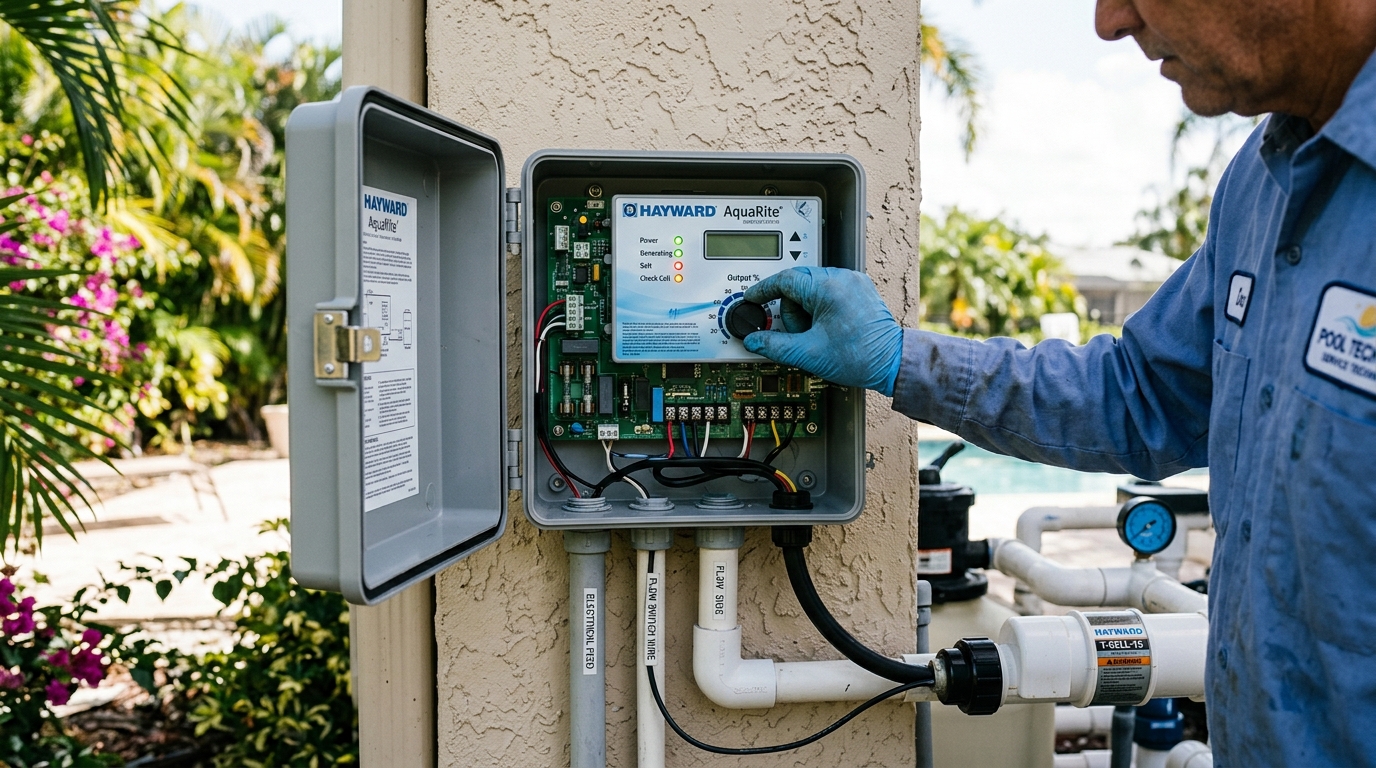
A flashing “Inspect Cell” indicator on a Hayward AquaRite power center often causes immediate concern for Cape Coral pool owners expecting an equipment breakdown. In reality, this flashing signal represents an automated maintenance countdown rather than a component failure. Knowing how to interpret diagnostic metrics and execute the manual reset sequence restores seamless chlorination.
The Automated 500-Hour Maintenance Counter
Hayward designs the AquaRite system with an internal operating timer that triggers a flashing “Inspect Cell” LED every 500 operational hours. This reminder ensures pool owners inspect the electrolytic cell grid before calcium scaling permanently degrades chlorine output. When the light flashes by itself while “Power” and “Generating” remain green, the system continues producing chlorine normally.
Conversely, if “Inspect Cell” illuminates solid alongside a flashing or solid “Low Salt” light, the system has suspended chlorine generation. This dual alert indicates that internal conductivity has dropped below the operational floor of 2,400 ppm, caused either by genuine salt dilution after tropical downpours or heavy mineral scaling insulating the cell plates.
Cycling Diagnostic Metrics on the AquaRite PCB
Before executing a reset, technicians inspect the real-time electrical data displayed on the digital screen by pressing the small diagnostic button adjacent to the display:
- Press 1: Current water temperature in degrees Fahrenheit.
- Press 2: Cell operating voltage (normal range: 22.0 to 26.0 volts DC).
- Press 3: Cell operating amperage (normal range: 2.50 to 4.50 amps DC depending on T-CELL model).
- Press 4: Selected generating percentage (matches the physical dial setting).
- Press 5: Real-time instant salinity (indicated by a minus sign, e.g., -3200 ppm).
- Press 7: Software revision level (r1.50 or higher).
- Press 8: Configured cell type (T-3, T-9, or T-15).
If instant salinity matches independent water tests and voltage remains within calibrated tolerances, the physical cell operates correctly. Pairing your setup with reliable saltwater pool service and modern pool automation & lighting controls ensures alerts are addressed promptly before water quality deteriorates.
The Manual Reset Sequence
After physically inspecting the cell and removing any white calcium deposits with a mild muriatic acid dilution, clear the 500-hour reminder by holding down the diagnostic button for three to five consecutive seconds until the flashing light clears. The counter resets instantly for another 500 operating hours.
Executing scheduled quarterly inspections protects expensive T-CELL hardware and maintains crystal-clear water balance across Southwest Florida homes.